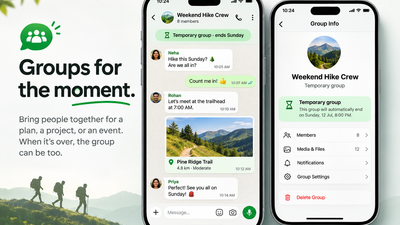
WhatsApp is one of the most widely used communication apps in most countries except the USA. Over the years, after being sold to Meta, it has added many impressive features, evolving this popular app from a messaging client into a multi-use app. We discuss a few hidden features in WhatsApp that are old or recently added, which make your experience with the app pretty awesome.
What is WhatsApp, and how do you download it?
WhatsApp is a free messaging and calling app that lets users stay connected with friends, family, and colleagues in multiple ways(discussed below). It is available on Android, iOS, Windows, and macOS, making it easy to communicate across platforms. Popular WhatsApp features include end-to-end encrypted messaging, group chats, voice and video calls, status updates, location sharing, and file sharing.
To get started, you can download WhatsApp from the Google Play Store on Android, the Apple App Store on iPhone, or the official WhatsApp website (https://www.whatsapp.com/download) for Windows and Mac. Once installed, register using your phone number and follow the on-screen instructions to set up your account.
Table of Contents
WhatsApp features made available by Meta
WhatsApp is a pretty feature-rich app these days. Mentioned below are some of the most commonly used features. We’ll also discuss some similar hidden WhatsApp features later.
- Messaging between individual and Group chats
- Calls – Group and individual calls, including both Audio and Video.
- Share Media, Files, audio, etc as desired.
- Share your Location for others’ convenience.
- Do Polls to find opinions.
- Get updates using Status.
- Use the Communities feature to interact with a community
And much more!
5 Interesting WhatsApp Hidden Features You Should Know About
Discussed below are a few Interesting WhatsApp features that are most commonly unknown known to the general public:
Document Scan directly
WhatsApp has an efficient Document scanner built into the app, so you don’t need apps like Adobe Cam Scan. Here is a screenshot of the same:
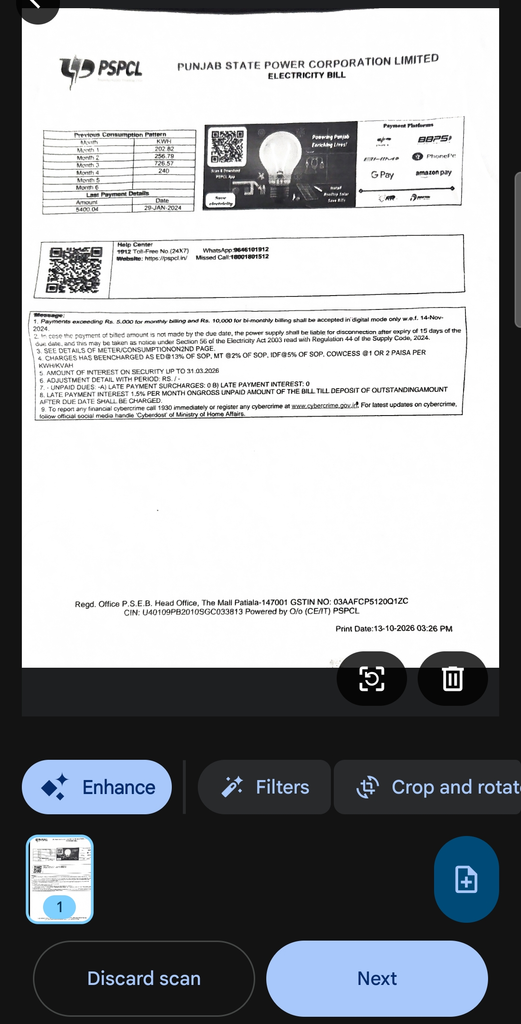
To scan a document in WhatsApp, you can see the steps below:
- Open the contact/Group and select the attachment icon.
- Select the Document option > Scan from Camera.
- Scan Page 1 and then click on the + icon to scan additional pages if needed.
- Click Next to complete the scan and send.
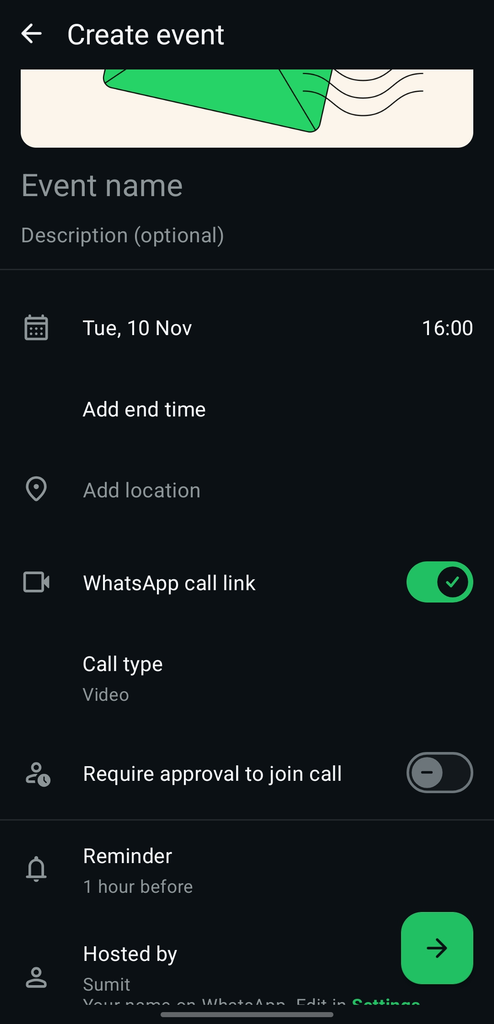
Create an Event or a Group call and share the link
This is one of WhatsApp’s hidden features: you can create an Event for a call, similar to Microsoft Teams/Outlook, and then let others join.
Manage / Clean WhatsApp Storage using Settings
Are you low on phone storage? Do you have a lot of WhatsApp images that you want to reduce? This is one of best WhatsApp hidden features, and it can help you remove unnecessary media and free up a lot of Storage. Here are the steps to clean WhatsApp Storage easily:
- Click the 3 dots and choose Settings.
- Go to the Chats > Storage and Data option.
- Click Free up Storage.
You will now see a list like this, with the names of the Groups, the Media items, etc, sorted by size.
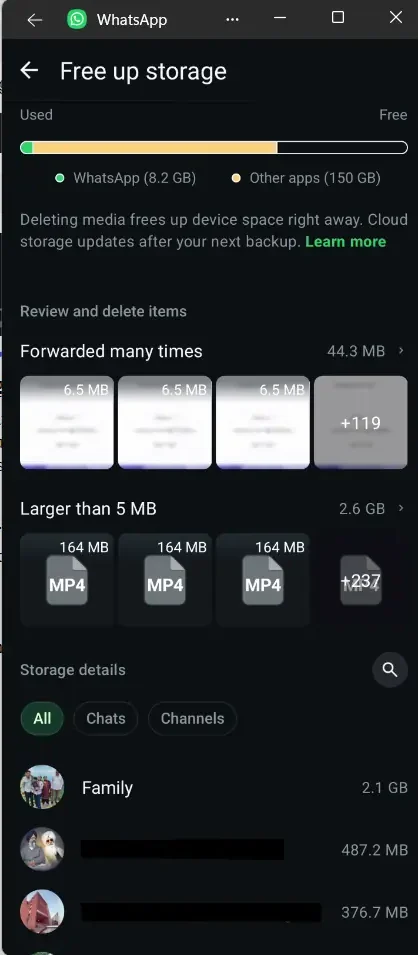
- Review the media that is forwarded many times and items larger than 5 MB.
- At the same time, delete storage items by group to free space.
View Someone’s WhatsApp Status Without Them Knowing
This is one of the WhatsApp features that can be a boon for many. If you want to see a contact’s status and want your contact not to be visible on the viewer list, see below:
- Open WhatsApp Settings > Privacy.
- Turn OFF the Read Receipts option.
- Open WhatsApp and view the person’s status.
- Once done, keep Read Receipts turned off until the status expires (24 hours).
- You can turn Read Receipts back ON after the status expires.
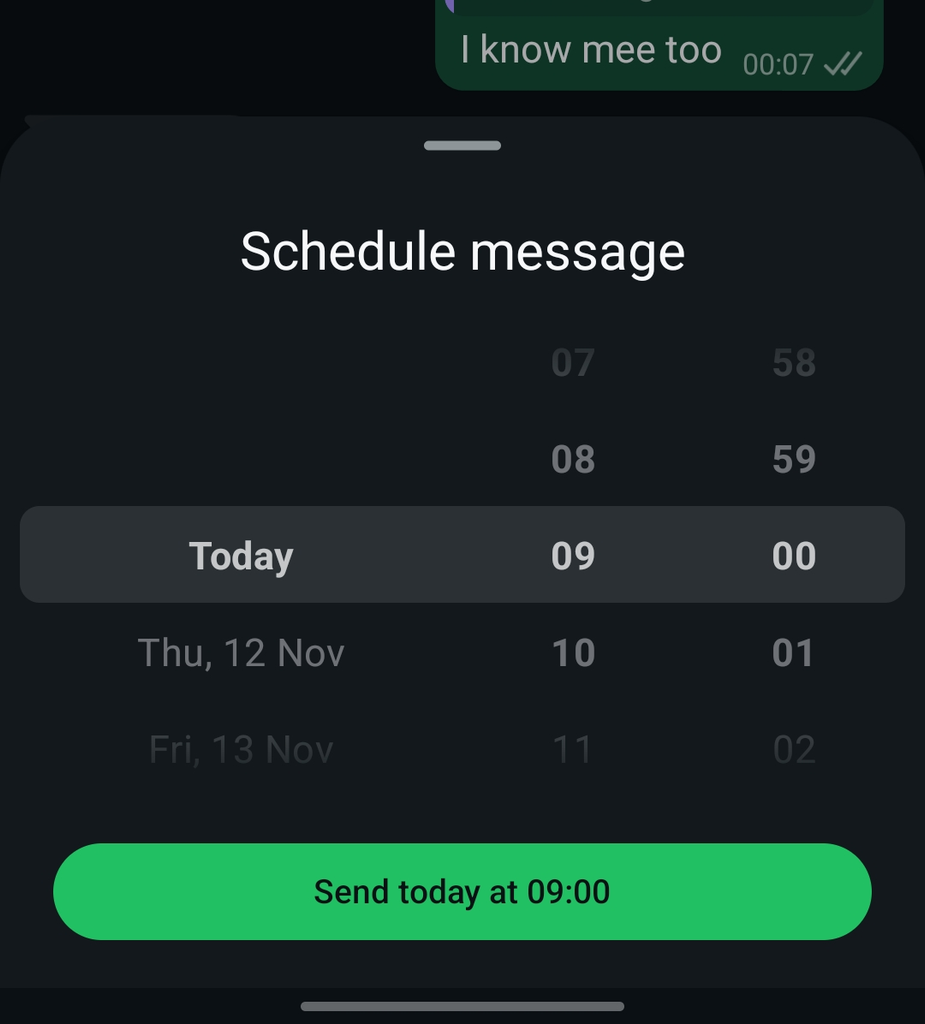
Schedule a WhatsApp Message
Many users do not know about it – Meta has now rolled out a feature to schedule WhatsApp message. Simply press and hold the green Send button, and the Schedule option will appear.
To summarize, these WhatsApp hidden features that most people do not know about would really help users to increase their productivity. Do you know any hidden WhatsApp feature? Let me know in the comments.