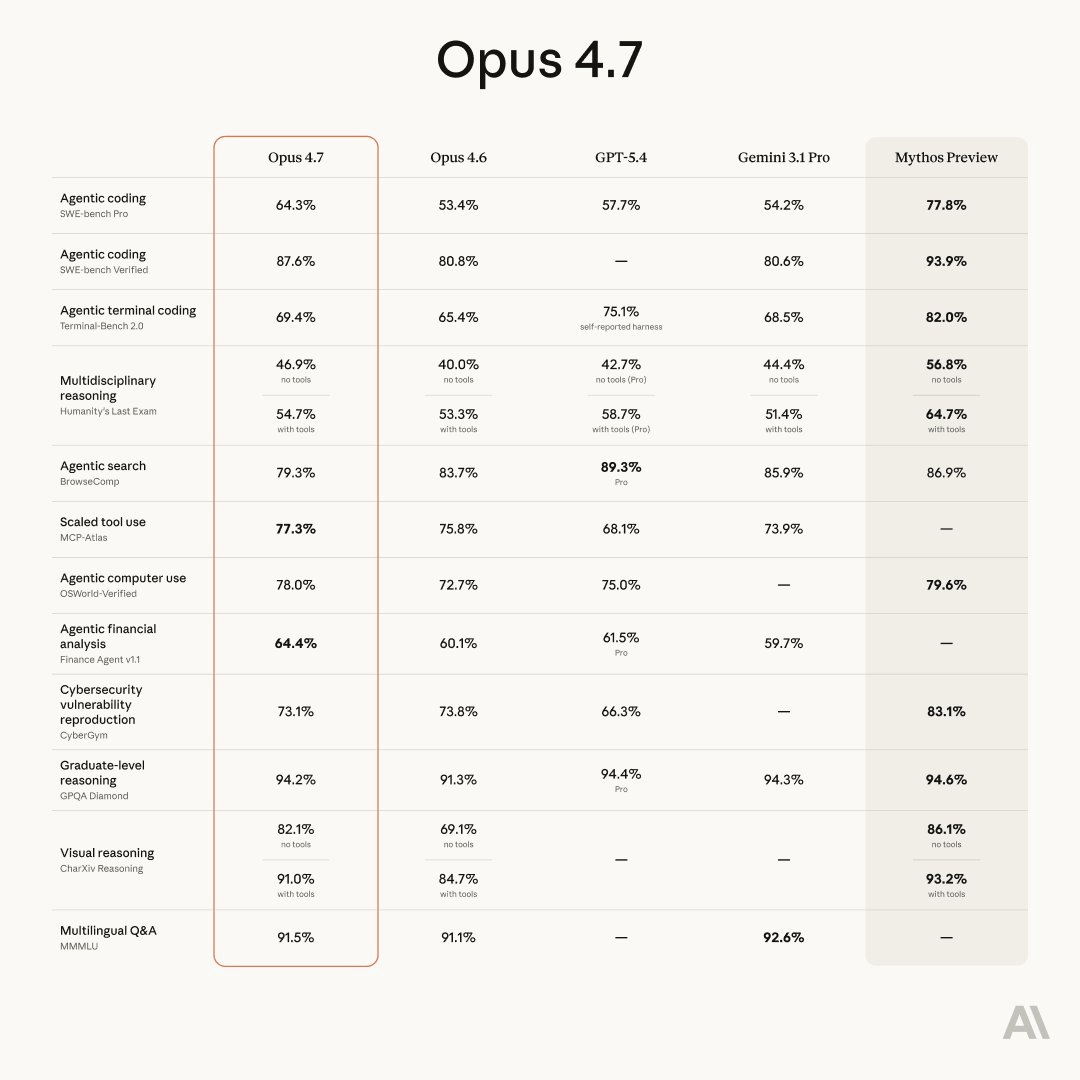
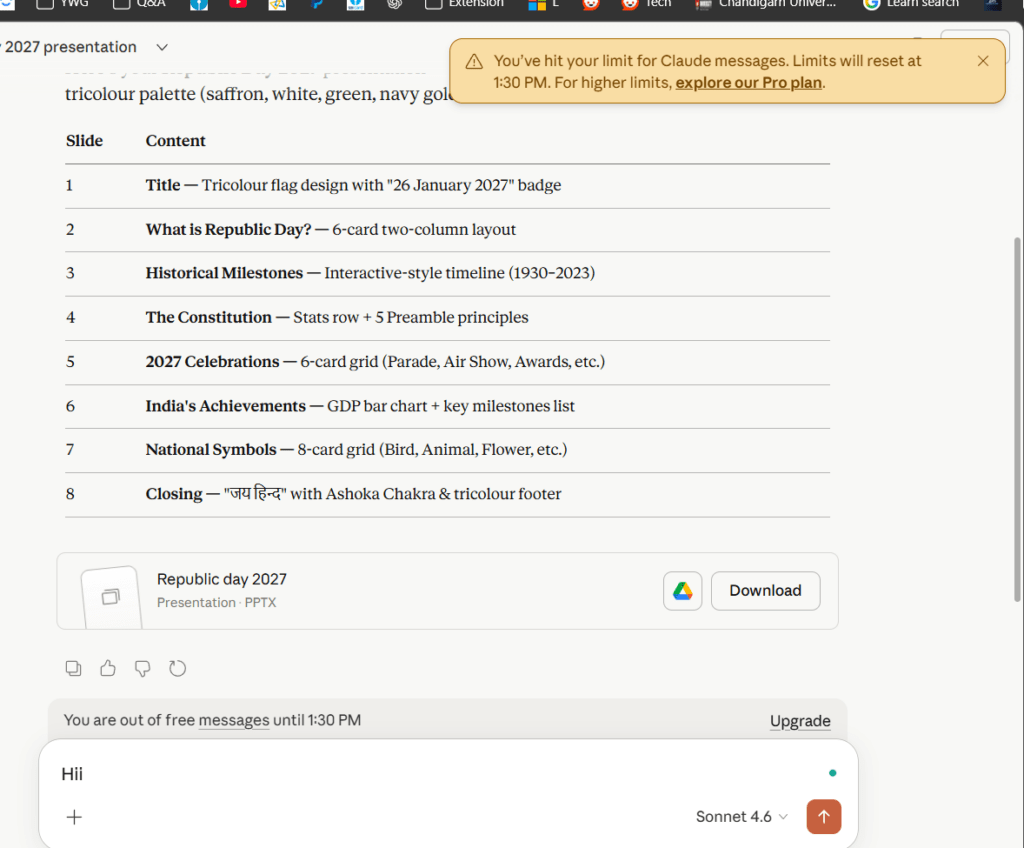
Are you a heavy user of Anthropic’s Claude AI models? You might have noticed that your Claude Usage Limits are burning through faster recently, with people reporting that only 2 queries on the Pro plan are enough to give you a break. This article discusses that and explores some fixes to keep your limits from being burned quickly.
Table of Contents
What is Anthropic and Claude?
Anthropic is an AI safety company founded in 2021 by former OpenAI researchers, including siblings Dario and Daniela Amodei. Their flagship product is Claude — an AI assistant designed to be helpful, harmless, and honest. Unlike some AI tools that feel robotic, Claude is built to feel more natural in conversation. Now, if you’re wondering about Claude usage limits, that depends on the plan you’re on, which was very relaxed earlier. It is not the case now, which we would explore here.
Claude Usage limits – what are they?
The various limits, as per Claude, depend on your conversation capacity and demand. On average, the Limits are like this:
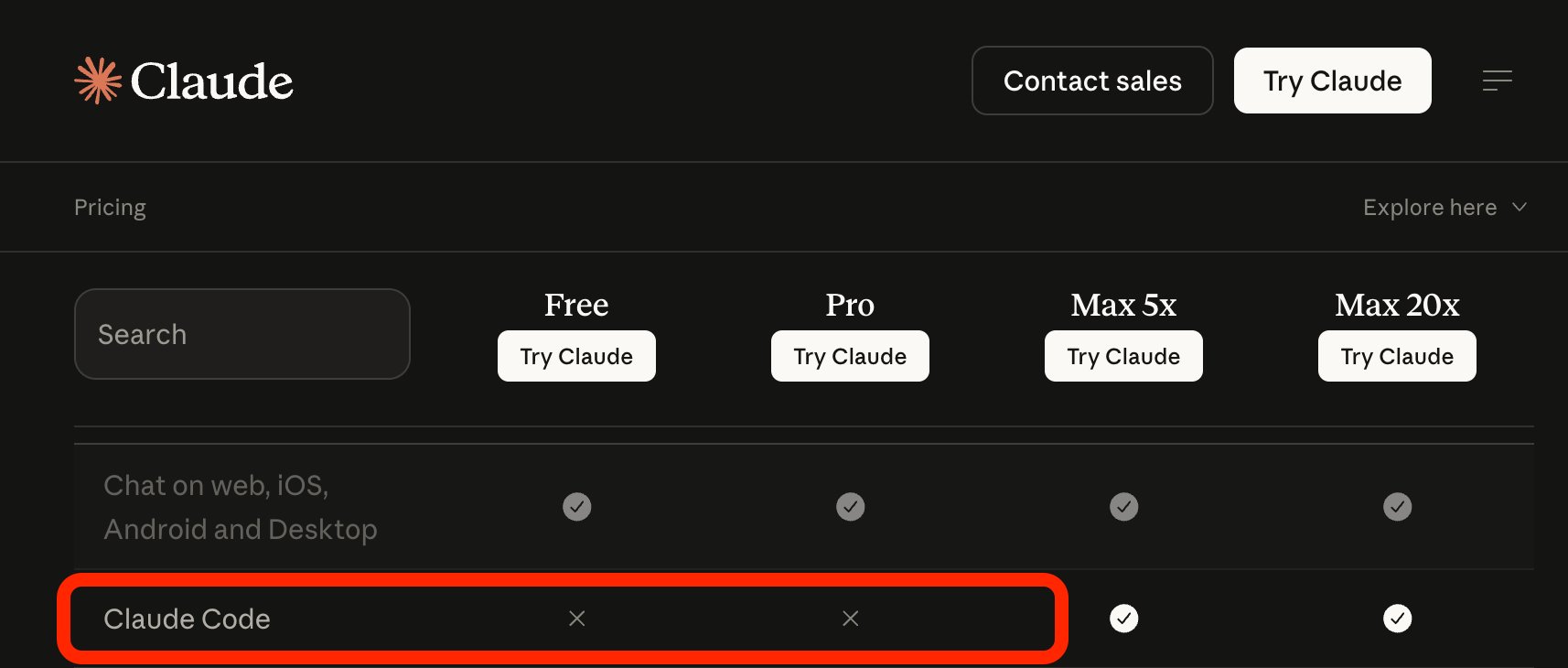
- Free Plan: On the free plan, the limits reset every 5 hours, and approximately 20 messages in the Window. The context Window is 200K.
- Pro Plan: Claude usage limits on Pro are a bit more relaxed. This includes Opus 4.6, the top-tier model, and 5 times the usage per session compared to free service with Priority access.
- Claude Max Plan: In this plan, there is virtually no limit as per the documentation.
Why does Claude Limit finish quickly all of a sudden? Explore multiple reasons
According to our sources and other Reddit tickets, Claude has recently been pretty cautious and is causing the usage limits to drain quickly. A rough idea about it is below:
Anthropic quietly changed how usage limits work so that during busy U.S. hours (roughly 5am–11am PT), your usage is consumed faster than normal. Before that, they had a promotion that now feels misleading to many users. On top of these planned changes, there also seem to be real technical issues – some users say a single prompt can consume a huge chunk of their limit, usage increases even when they haven’t done anything. This seems to affect all plans, from free to the most expensive. Anthropic says only about 7% of users are impacted.
It’s a bit like a mobile data plan where speeds slow down during peak hours, but due to glitches, your data also drains unexpectedly, even when you’re barely using your phone.
General Non Claude Code reasons
The following reasons are primarily seen, and the remedies are given together.
Big conversation exhausts the Claude Usage limit quickly
In the web/mobile app, context accumulates with every message. Long threads get expensive. Start a new conversation per task. Copy key conclusions into the first message if you need continuity. Long tickets means more tokens and more efforts
Be as concise as you can
To avoid Claude’s limit, finish fast, and be as specific as possible. For example, “Summarize Liver report of the PDF” vs “tell me about this document” can drain the token limit quickly.
Turn off 1 Million Context Window and Opus
The Opus model consumes 5X as many tokens as Sonnet. Turn it off immidiately. Additionally, Anthropic has recently made an update that changes the way its system handles information. The default setting now allows for much larger chunks of data to be processed at once. This change flew under the radar for most users. If you see terms like “1M” or “extended” in the name of the model you’re using, you might want to switch back to the older setting that handles a smaller amount of data, which is 200K.
Move heavy automated Work to nighttime PST
Since the demand for the moderls is higher during the day, shift your automated tasks to night, which generally has relaxed Claude usage limits.
Disable Auto memory[Most Important]
If you are frequently hitting the limits, turning of Auto memory would help you a lot, as reported by other users.
If you are a Claude code user
If you use Claude Code in CLI, multiple options exist.
Use these commands to compact Context and switches to Sonnet
add the following code to ~/.claude/settings.json:
{
  "model": "sonnet",
  "env": {
    "MAX_THINKING_TOKENS": "10000",
    "CLAUDE_AUTOCOMPACT_PCT_OVERRIDE": "50",
    "CLAUDE_CODE_SUBAGENT_MODEL": "haiku"
  }
}
This setting would greatly decrease Token usage without compromising quality.
Create a .claudeignore file to avoid Claude limit finish fast
It works to ignore certain elements, which can greatly help with the Claude usage limits issue.
Keep Claude.md as short as possible
If you keep Claude.MD file under 50 lines, it greatly helps in extending the chat, as per other users.
These steps can help you avoid the Claude usage limits, making the AI model available for use.